> ## Documentation Index
> Fetch the complete documentation index at: https://dripart-chore-sync-comfy-api-v2-spec-0ee014e.mintlify.site/llms.txt
> Use this file to discover all available pages before exploring further.
# 连线
> 了解 ComfyUI 中的连接线
## 连线连接节点
在 ComfyUI 中,节点之间绘制的线条或曲线称为 ***连线***(有时也称为 ***连接*** 或导线)。它们将数据从一个节点的输出传输到另一个节点的输入,从而定义工作流的流程。
连线可以以多种视觉样式显示:曲线、直角线、直线或完全隐藏。
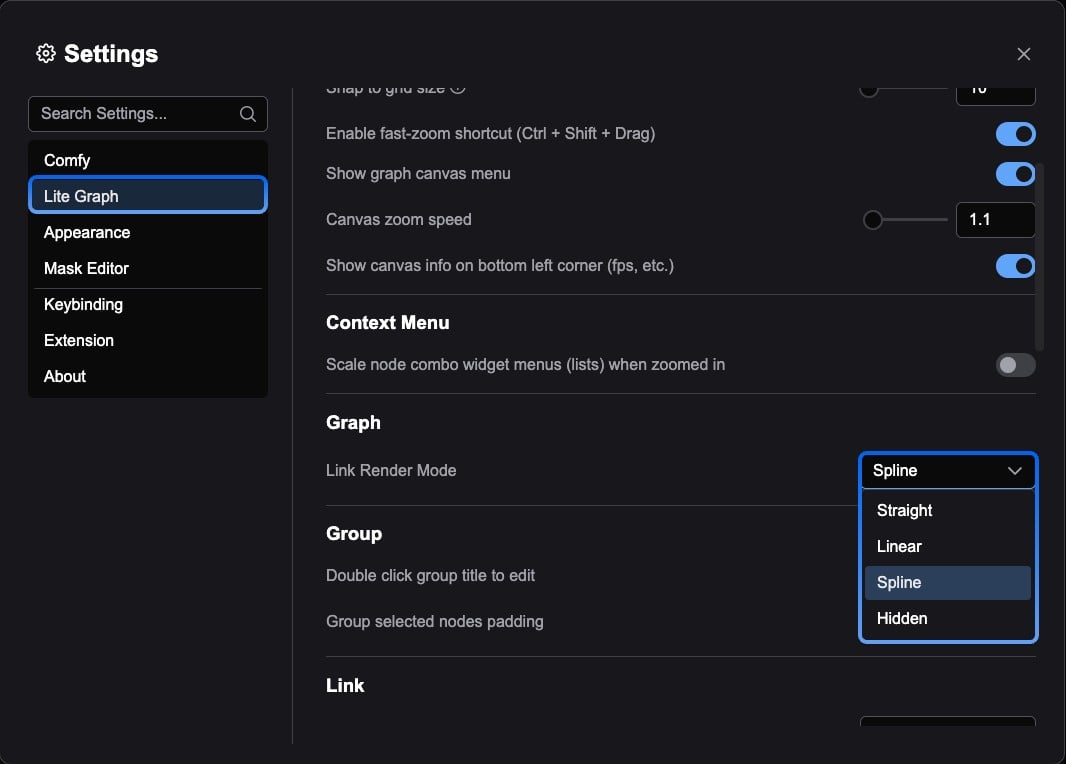
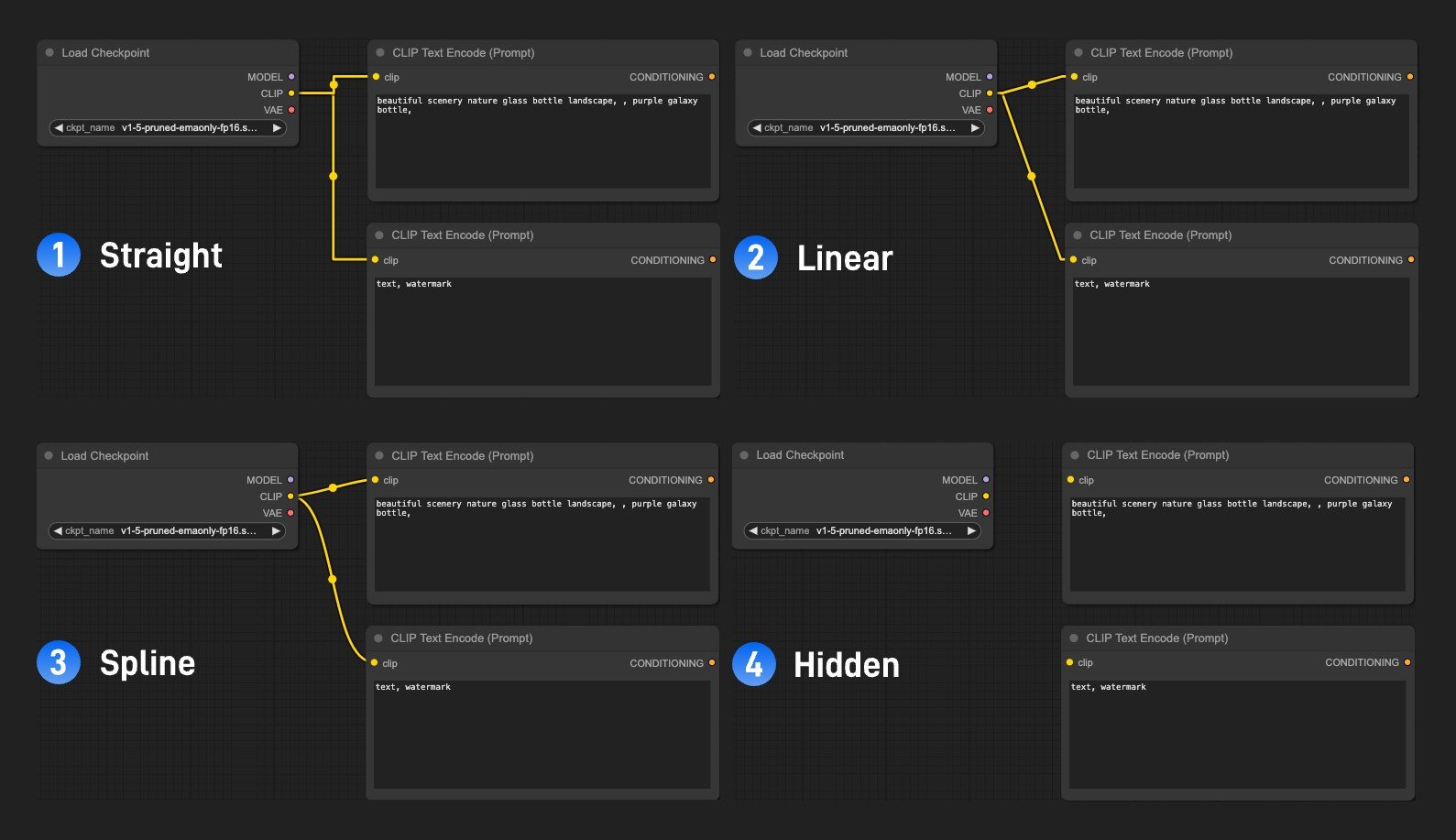 要更改连线样式,请转到 **设置菜单** → **显示(Lite Graph)** → **画面** → **连线渲染样式**。
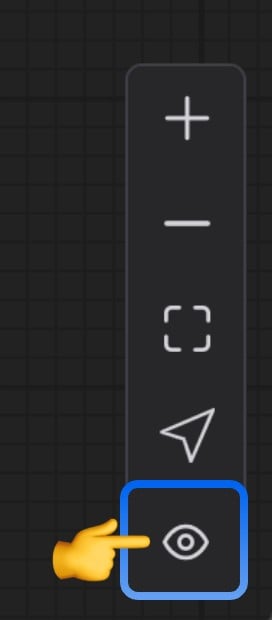
 你也可以从 **画布菜单** 临时隐藏所有连线。
 在学习、分享或调试工作流时,显示连线尤其有用。它们能让你一目了然地看到数据流。对于不打算编辑的已完成工作流,隐藏连线可以减少视觉杂乱。
### 重新路由节点
当工作流变得复杂时,连接线可能会重叠或被节点遮挡,导致难以阅读。**重新路由**节点允许你在二维图空间中手动重定向连线,从而保持布局的整洁和清晰。
在学习、分享或调试工作流时,显示连线尤其有用。它们能让你一目了然地看到数据流。对于不打算编辑的已完成工作流,隐藏连线可以减少视觉杂乱。
### 重新路由节点
当工作流变得复杂时,连接线可能会重叠或被节点遮挡,导致难以阅读。**重新路由**节点允许你在二维图空间中手动重定向连线,从而保持布局的整洁和清晰。
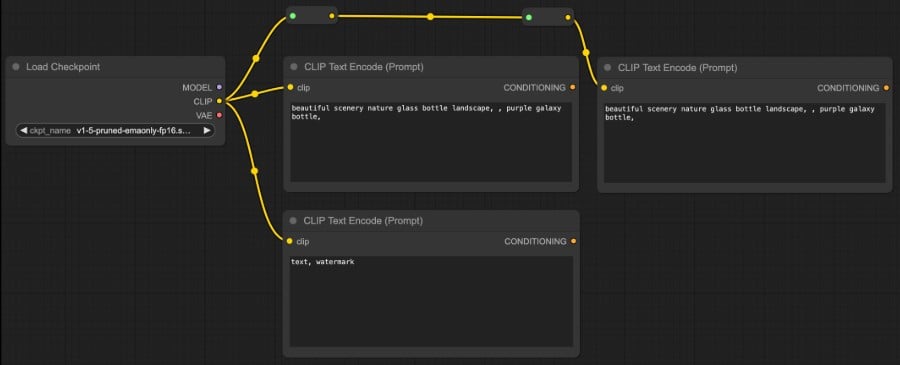 ComfyUI 还在画布中内置了原生的重新路由功能。对于新的工作流,我们建议使用此功能。
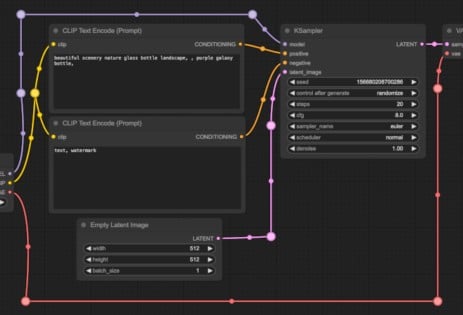 ## 颜色编码
ComfyUI 中的每种数据类型都有独特的颜色。节点的输入和输出端口,以及连接它们的连线,都遵循此配色方案。**只能连接相同颜色的端口**。这确保了工作流中的类型安全。
## 颜色编码
ComfyUI 中的每种数据类型都有独特的颜色。节点的输入和输出端口,以及连接它们的连线,都遵循此配色方案。**只能连接相同颜色的端口**。这确保了工作流中的类型安全。
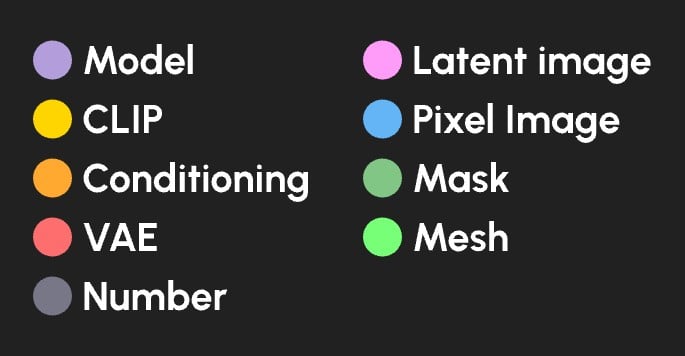 | 数据类型 | 颜色 |
| ------------ | ---- |
| Diffusion 模型 | 薰衣草色 |
| CLIP 模型 | 黄色 |
| VAE 模型 | 玫瑰色 |
| Conditioning | 橙色 |
| Latent 图像 | 粉色 |
| 像素图像 | 蓝色 |
| 遮罩 | 绿色 |
| 数字(整数或浮点) | 灰色 |
| 网格 | 亮绿色 |
| 数据类型 | 颜色 |
| ------------ | ---- |
| Diffusion 模型 | 薰衣草色 |
| CLIP 模型 | 黄色 |
| VAE 模型 | 玫瑰色 |
| Conditioning | 橙色 |
| Latent 图像 | 粉色 |
| 像素图像 | 蓝色 |
| 遮罩 | 绿色 |
| 数字(整数或浮点) | 灰色 |
| 网格 | 亮绿色 |