> ## Documentation Index
> Fetch the complete documentation index at: https://dripart-chore-sync-comfy-api-v2-spec-0ee014e.mintlify.site/llms.txt
> Use this file to discover all available pages before exploring further.
# Seedance 2.0 真人支持 - 真人一致性视频生成
> 在 ComfyUI 中通过一次字节跳动真人活体验证,使用 Seedance 2.0 生成人物一致、音画同步的真人视频
 **Seedance 2.0 真人支持** 已可在 ComfyUI 中直接使用。你可以在工作流里上传人物素材,完成一次真人验证后,即可在不离开 ComfyUI 的情况下生成该人物的真人视频,并保持稳定的人物一致性与自然表情。
有了 ComfyUI 中的真人支持,你不再局限于虚拟角色。Seedance 2.0 的可控性与原生音画同步能力现在也可用于真人题材,使用你已经在其他 Seedance 2.0 生成中使用的相同节点式工作流,在整段视频中稳定保持人物身份与表演一致性。
使用 API 节点需要保证你已经正常登录,并在受许可的网络环境下使用,请参考[API 节点总览](/zh/tutorials/partner-nodes/overview)部分文档来了解使用 API 节点的具体使用要求。
请确保你的 ComfyUI 已经更新。
* [ComfyUI 下载](https://www.comfy.org/download)
* [ComfyUI 更新教程](/zh/installation/update_comfyui)
本指南里的工作流可以在[工作流模板](/zh/interface/features/template)中找到。如果找不到,可能是 ComfyUI 没有更新。
如果加载工作流时有节点缺失,可能原因有:
1. 你用的不是最新版(每夜版)。
2. 启动时有些节点导入失败。
* [Cloud](https://cloud.comfy.org) 会在 ComfyUI 稳定版本发布后更新。
所以,如果你发现本文档中有任何核心节点缺失,可能是因为新核心节点尚未在最新稳定版中发布。请等待下一个稳定版发布。
## 视频教程
观看完整演示视频,了解真人验证流程,以及两套 Seedance 2.0 真人支持工作流如何端到端运行。
## 有哪些不同
* **真人,电影级控制** — 在保持人物可信的前提下,控制镜头运动、光照与场景变化
* **人物一致性** — 面部特征与整体外观在运动、运镜和转场中保持稳定
* **原生音画同步** — 视频与音频(对白、环境、音乐)一起生成,口型与表情更稳定
* **多参考素材引导** — 支持混合文本与最多 **9 张图像**、**3 段视频**、**3 段音频**,锁定外观、动作与节奏
## 如何在 ComfyUI 中进行验证
在 Seedance 2.0 生成中出现真人之前,需要先完成验证。该流程用于防止冒用与未经授权的肖像使用,由字节跳动侧提供并符合正在形成的 AI 透明度监管要求。整个流程由 ComfyUI 内的 **ByteDance Create Image/Video Asset** 节点驱动,你只需要短暂离开 ComfyUI,在手机或浏览器中完成活体检测即可。
**Seedance 2.0 真人支持** 已可在 ComfyUI 中直接使用。你可以在工作流里上传人物素材,完成一次真人验证后,即可在不离开 ComfyUI 的情况下生成该人物的真人视频,并保持稳定的人物一致性与自然表情。
有了 ComfyUI 中的真人支持,你不再局限于虚拟角色。Seedance 2.0 的可控性与原生音画同步能力现在也可用于真人题材,使用你已经在其他 Seedance 2.0 生成中使用的相同节点式工作流,在整段视频中稳定保持人物身份与表演一致性。
使用 API 节点需要保证你已经正常登录,并在受许可的网络环境下使用,请参考[API 节点总览](/zh/tutorials/partner-nodes/overview)部分文档来了解使用 API 节点的具体使用要求。
请确保你的 ComfyUI 已经更新。
* [ComfyUI 下载](https://www.comfy.org/download)
* [ComfyUI 更新教程](/zh/installation/update_comfyui)
本指南里的工作流可以在[工作流模板](/zh/interface/features/template)中找到。如果找不到,可能是 ComfyUI 没有更新。
如果加载工作流时有节点缺失,可能原因有:
1. 你用的不是最新版(每夜版)。
2. 启动时有些节点导入失败。
* [Cloud](https://cloud.comfy.org) 会在 ComfyUI 稳定版本发布后更新。
所以,如果你发现本文档中有任何核心节点缺失,可能是因为新核心节点尚未在最新稳定版中发布。请等待下一个稳定版发布。
## 视频教程
观看完整演示视频,了解真人验证流程,以及两套 Seedance 2.0 真人支持工作流如何端到端运行。
## 有哪些不同
* **真人,电影级控制** — 在保持人物可信的前提下,控制镜头运动、光照与场景变化
* **人物一致性** — 面部特征与整体外观在运动、运镜和转场中保持稳定
* **原生音画同步** — 视频与音频(对白、环境、音乐)一起生成,口型与表情更稳定
* **多参考素材引导** — 支持混合文本与最多 **9 张图像**、**3 段视频**、**3 段音频**,锁定外观、动作与节奏
## 如何在 ComfyUI 中进行验证
在 Seedance 2.0 生成中出现真人之前,需要先完成验证。该流程用于防止冒用与未经授权的肖像使用,由字节跳动侧提供并符合正在形成的 AI 透明度监管要求。整个流程由 ComfyUI 内的 **ByteDance Create Image/Video Asset** 节点驱动,你只需要短暂离开 ComfyUI,在手机或浏览器中完成活体检测即可。
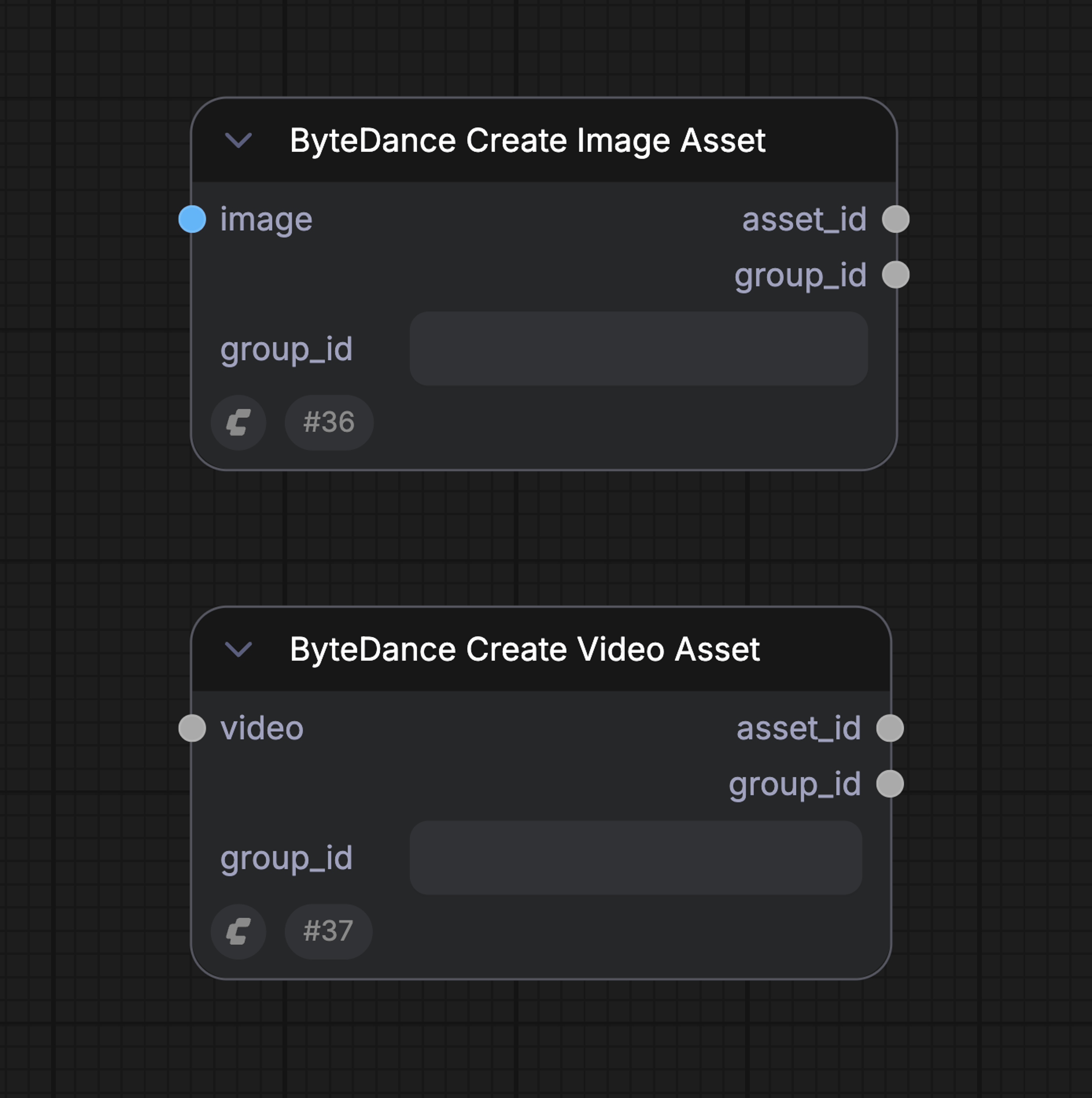 ### 首次运行(需要验证)
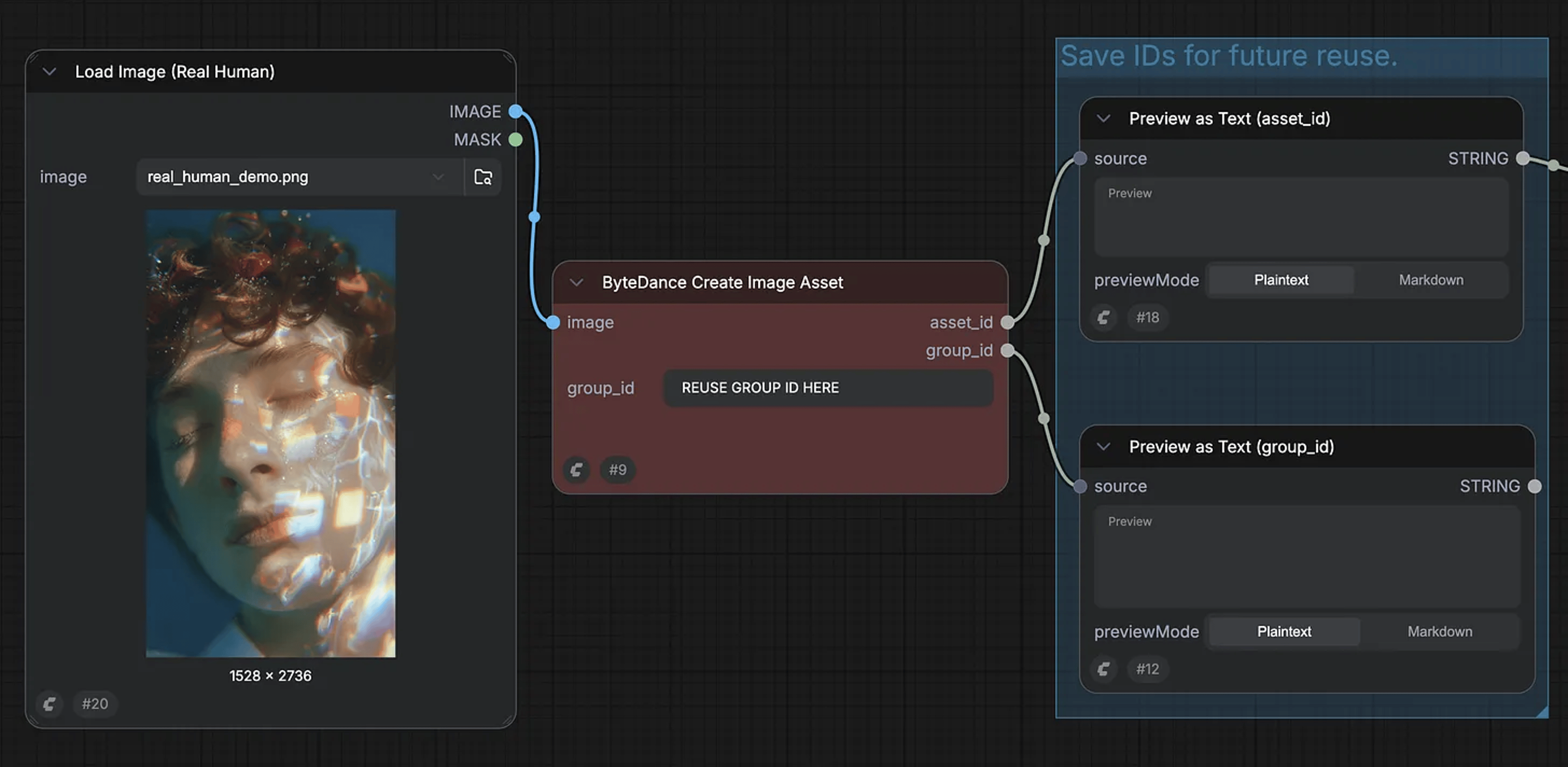
1. 在 ComfyUI 中,将 **ByteDance Create Image/Video Asset** 节点加入工作流并上传人物图片
2. 运行工作流:ComfyUI 会返回字节跳动提供的验证链接
3. 在手机或浏览器中打开链接,完成活体检测(通常少于 1 分钟)
4. 验证通过后返回 ComfyUI:节点输出将包含已验证的素材资产
#### 验证流程截图
**步骤 1:上传并运行以开启验证**
### 首次运行(需要验证)
1. 在 ComfyUI 中,将 **ByteDance Create Image/Video Asset** 节点加入工作流并上传人物图片
2. 运行工作流:ComfyUI 会返回字节跳动提供的验证链接
3. 在手机或浏览器中打开链接,完成活体检测(通常少于 1 分钟)
4. 验证通过后返回 ComfyUI:节点输出将包含已验证的素材资产
#### 验证流程截图
**步骤 1:上传并运行以开启验证**
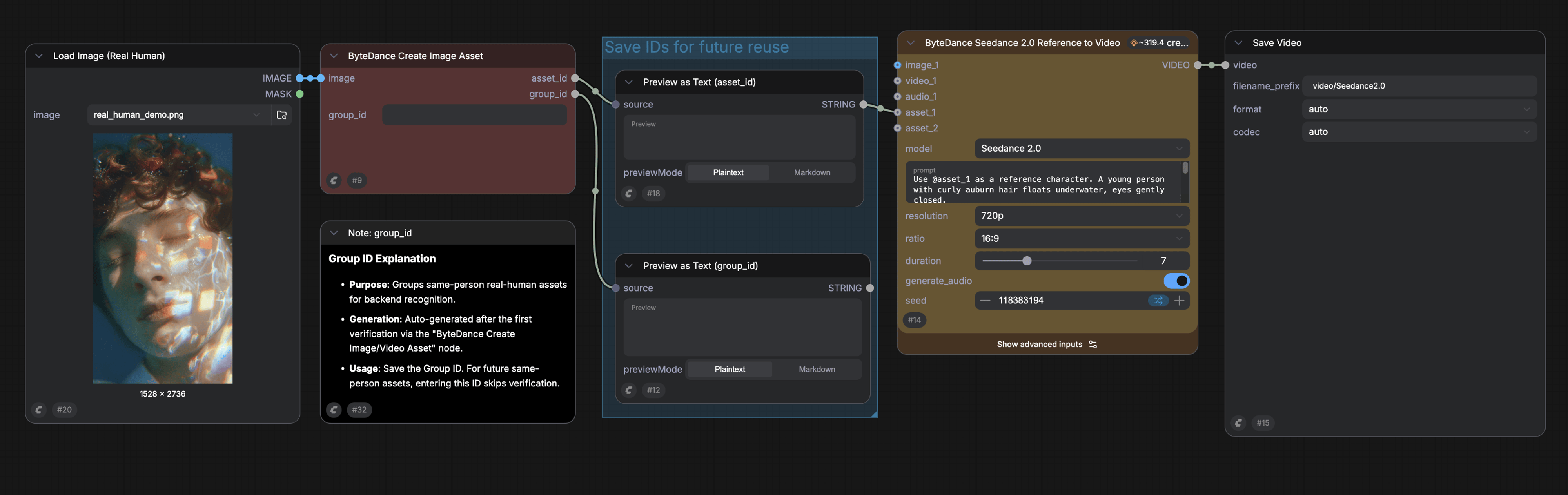 **步骤 2:获取验证链接**
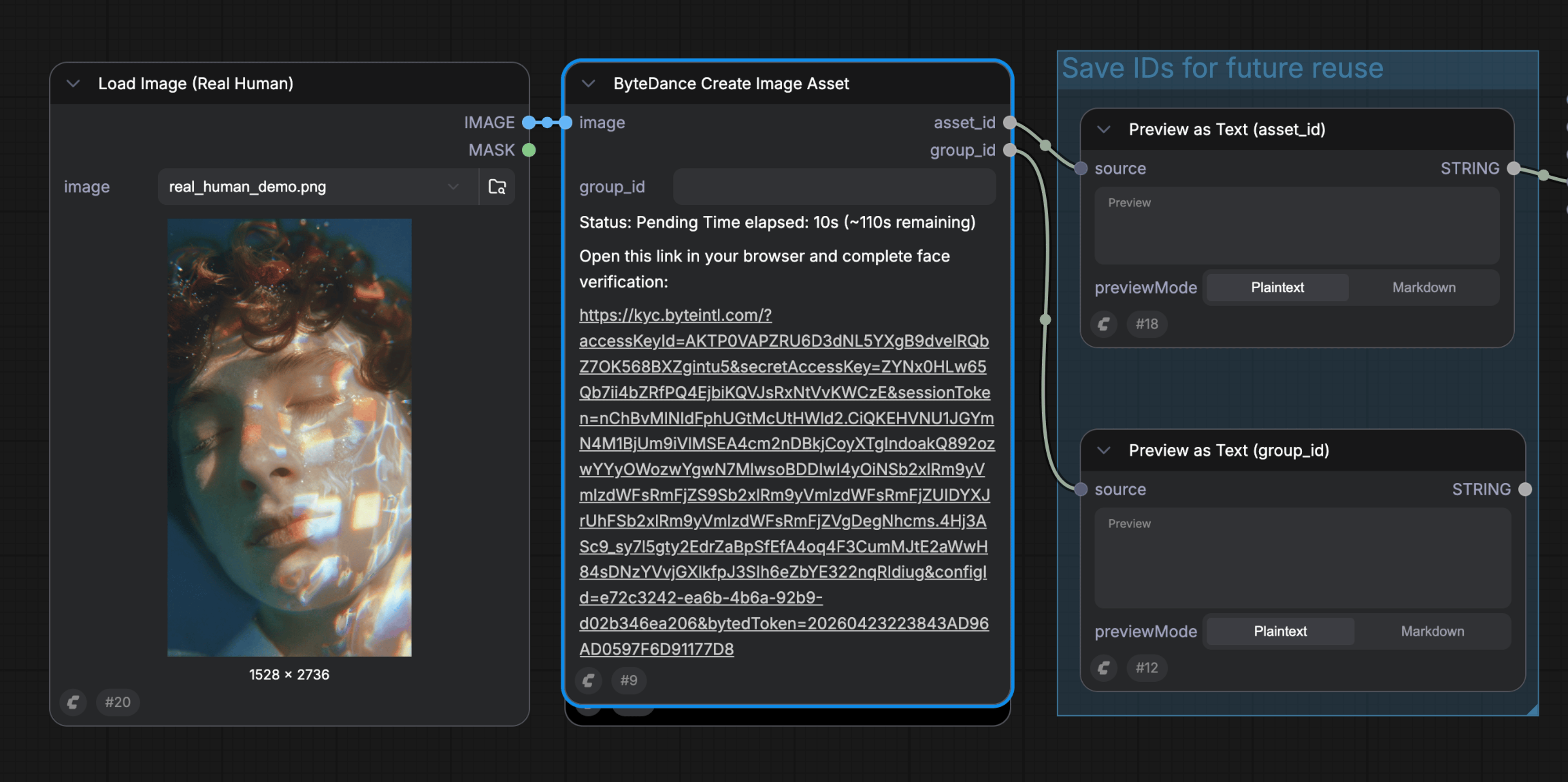 **步骤 3:在 H5 页面完成活体检测**
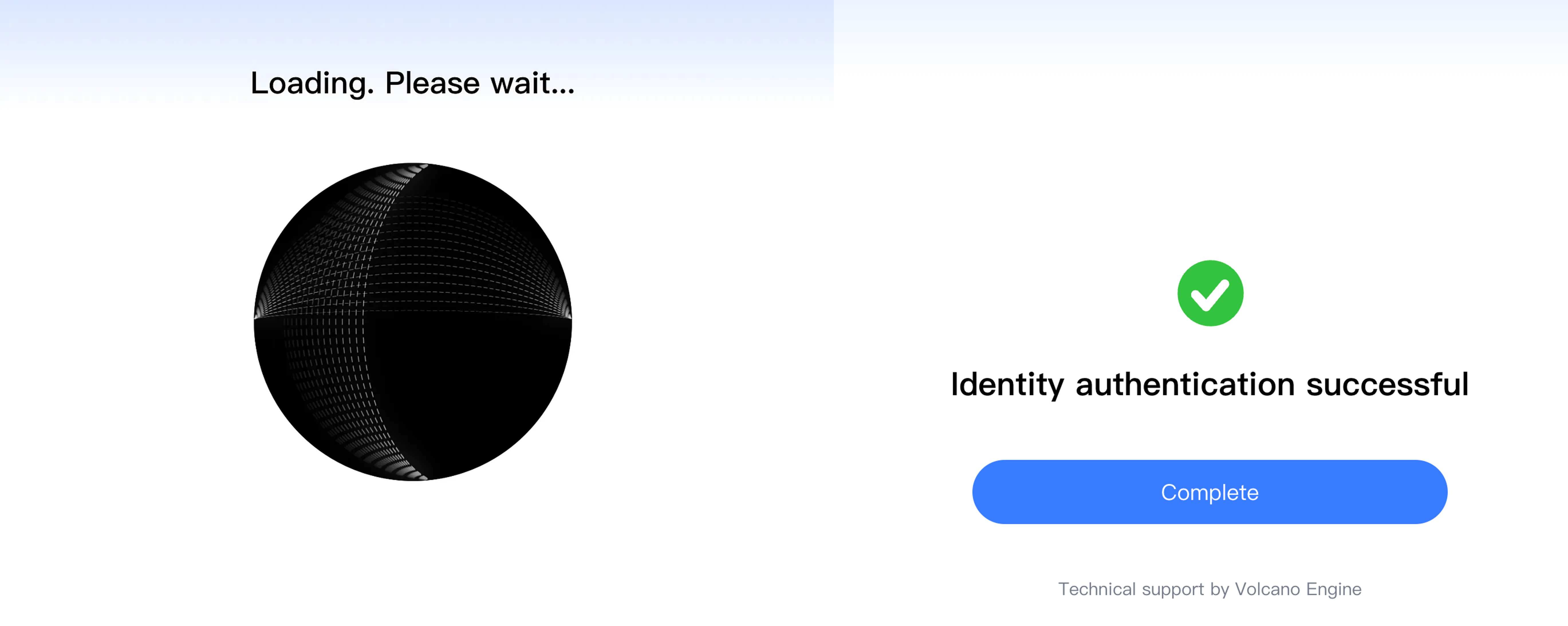 **步骤 4:回到 ComfyUI 并保存 ID(不额外消耗积分)**
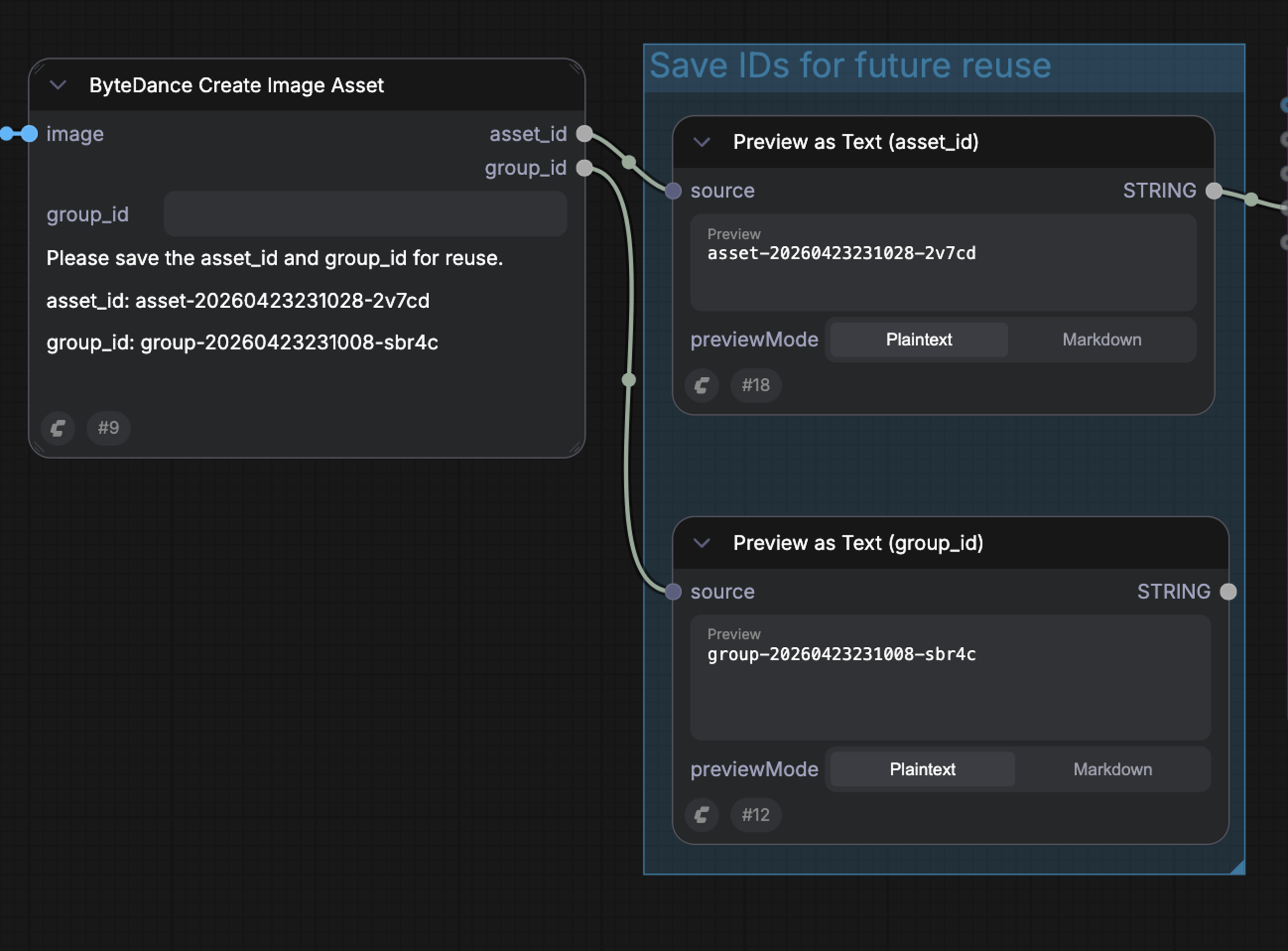 验证通过后,该节点会输出两个 ID,供下游 Seedance 2.0 视频节点使用:
* **Group ID**:代表已验证的人物。请保存它,以便后续复用同一人物身份而无需再次验证
* **Asset ID**:代表本次上传的具体素材资产。将其连接到 Seedance 2.0 视频生成节点即可生成该人物的视频;也可以在多个工作流中复用
### 后续上传(无需验证)
1. 在 ComfyUI 中使用 **ByteDance Create Image/Video Asset** 节点上传同一人物的新图片或视频
2. 在节点中输入已保存的 **Group ID**
3. 运行后,字节跳动会将新素材的人脸特征与原始验证进行比对
4. 若识别为同一人,新素材将自动激活并返回到 ComfyUI,可直接用于 Seedance 2.0 视频生成
#### 使用已存在的 Group ID 跳过验证
如果你已完成过一次验证,通常可以通过提供已有的 **Group ID** 来跳过活体检测步骤。如果字节跳动识别新图像为同一人,则验证被跳过。
验证通过后,该节点会输出两个 ID,供下游 Seedance 2.0 视频节点使用:
* **Group ID**:代表已验证的人物。请保存它,以便后续复用同一人物身份而无需再次验证
* **Asset ID**:代表本次上传的具体素材资产。将其连接到 Seedance 2.0 视频生成节点即可生成该人物的视频;也可以在多个工作流中复用
### 后续上传(无需验证)
1. 在 ComfyUI 中使用 **ByteDance Create Image/Video Asset** 节点上传同一人物的新图片或视频
2. 在节点中输入已保存的 **Group ID**
3. 运行后,字节跳动会将新素材的人脸特征与原始验证进行比对
4. 若识别为同一人,新素材将自动激活并返回到 ComfyUI,可直接用于 Seedance 2.0 视频生成
#### 使用已存在的 Group ID 跳过验证
如果你已完成过一次验证,通常可以通过提供已有的 **Group ID** 来跳过活体检测步骤。如果字节跳动识别新图像为同一人,则验证被跳过。
 ## 可用工作流
ComfyUI 提供两套预置的 Seedance 2.0 真人模板。两者都会将 **ByteDance Create Image/Video Asset** 节点与 Seedance 2.0 视频生成节点串联起来,一次运行即可完成验证与生成。
### Seedance 2.0 真人参考生视频
使用已验证的人物肖像(可选额外参考图像、视频或音频)驱动 Seedance 2.0 生成保持真人身份一致的视频。
## 可用工作流
ComfyUI 提供两套预置的 Seedance 2.0 真人模板。两者都会将 **ByteDance Create Image/Video Asset** 节点与 Seedance 2.0 视频生成节点串联起来,一次运行即可完成验证与生成。
### Seedance 2.0 真人参考生视频
使用已验证的人物肖像(可选额外参考图像、视频或音频)驱动 Seedance 2.0 生成保持真人身份一致的视频。
 在 Comfy Cloud 中立即试用 Seedance 2.0 真人参考生视频工作流。
获取 Seedance 2.0 真人参考生视频工作流文件。
在 Comfy Cloud 中立即试用 Seedance 2.0 真人参考生视频工作流。
获取 Seedance 2.0 真人参考生视频工作流文件。
输入素材
下载此示例输入图像以试用该工作流:
下载示例人物肖像以进行验证
### Seedance 2.0 真人首尾帧视频

提供已验证的起始帧和结束帧,在两帧之间生成视频,同时保持人物的真实身份。
 在 Comfy Cloud 中立即试用 Seedance 2.0 真人首尾帧视频工作流。
获取 Seedance 2.0 真人首尾帧视频工作流文件。
在 Comfy Cloud 中立即试用 Seedance 2.0 真人首尾帧视频工作流。
获取 Seedance 2.0 真人首尾帧视频工作流文件。
输入素材
下载这些示例输入图像以试用该工作流:
下载示例起始帧
下载示例结束帧